
Club Suncity 2 Official Website
Welcome to the official Club Suncity 2 website. Find Suncity 2 download information, Club Suncity 2 login assistance, Android APK and iOS guidance, game information, and account support in one clear place.
For adults only where legally permitted. Check your local laws before accessing gaming services.
What is Club Suncity 2?
Club Suncity 2 (often shortened to Suncity 2) is a mobile gaming app that puts slots, fishing games and live casino tables in a single lobby for Android and iPhone. Players install the app directly on their phone and sign in with the user ID issued at registration. This is the official Club Suncity 2 website, where Suncity 2 download, login and game information is kept up to date, so you never have to rely on forwarded links or screenshots in chat groups.
- Also known as
- Suncity 2
- Devices
- Android (APK) & iPhone/iPad
- Game types
- Slots, fishing, live casino, multiplayer
- Languages
- English & Bahasa Melayu
- Age limit
- 18+ only, where legally permitted
Club Suncity 2: Quick Access
Go directly to the relevant Club Suncity 2 information page without searching through lengthy promotional content.
Club Suncity 2 Download
Find available app options, installation information and important checks before downloading software.
Download information →Club Suncity 2 Login
Learn where to find account access information and what to do if you cannot sign in.
Account access guide →Android & iPhone
Understand device compatibility, app updates and the different ways Android and iOS devices handle installation.
Android app guide →About Club Suncity 2
Club Suncity 2, also known as Suncity 2, is our official brand. This website organizes essential information about supported devices, account access, software updates and available gaming categories.
Whether you are checking an existing account, troubleshooting an installation or learning about the platform, start with the relevant guide and verify that you are using the correct website.
About Suncity 2 →Club Suncity 2 Download & Device Guides
Android and iOS work differently. Choose the information for your device and follow only verified, current instructions.
Suncity 2 APK
Android file formats, compatibility questions, update checks and common installation errors.
Android guide →Suncity 2 iOS
Find iPhone access information, device support details and guidance for identifying trustworthy instructions.
iPhone guide →Installation troubleshooting
Get help with app version mismatches, blocked installations, login errors and device settings.
Troubleshooting guides →Club Suncity 2 Game Information
Browse descriptions and guides for the main categories associated with the Suncity 2 platform. Content is informational, and game availability may change.
How to Find Club Suncity 2 Resources
Three simple steps help you avoid outdated links and unclear instructions.
Confirm the website
Start at this official brand domain and review the published account and device guidance.
Select your device or topic
Use the download information, login guidance or game guides for your question.
Read requirements first
Review compatibility, security information and any applicable regional restrictions before taking action.
Club Suncity 2 FAQ
Short answers to common brand, app and account questions.
Is suncity2.org the official Club Suncity 2 website?
This is the official Club Suncity 2 brand information website. Use the domain shown in your browser and independently verify any off-site software or support destination.
Where can I find Club Suncity 2 download information?
Visit our Suncity 2 download page for app availability and device-specific information. Check the publisher and destination before installing files.
What if my Club Suncity 2 login is not working?
Visit Club Suncity 2 login guidance for account-access and recovery guidance. Never send passwords or one-time verification codes to anyone.
Can I use Suncity 2 on an iPhone?
Device and app availability depend on the current supported methods. See our iOS information page and avoid installing unverified configuration profiles.
Where can I get additional assistance?
Use the published guides page to find the latest verified Suncity 2 support channels.
Club Suncity 2 At A Glance
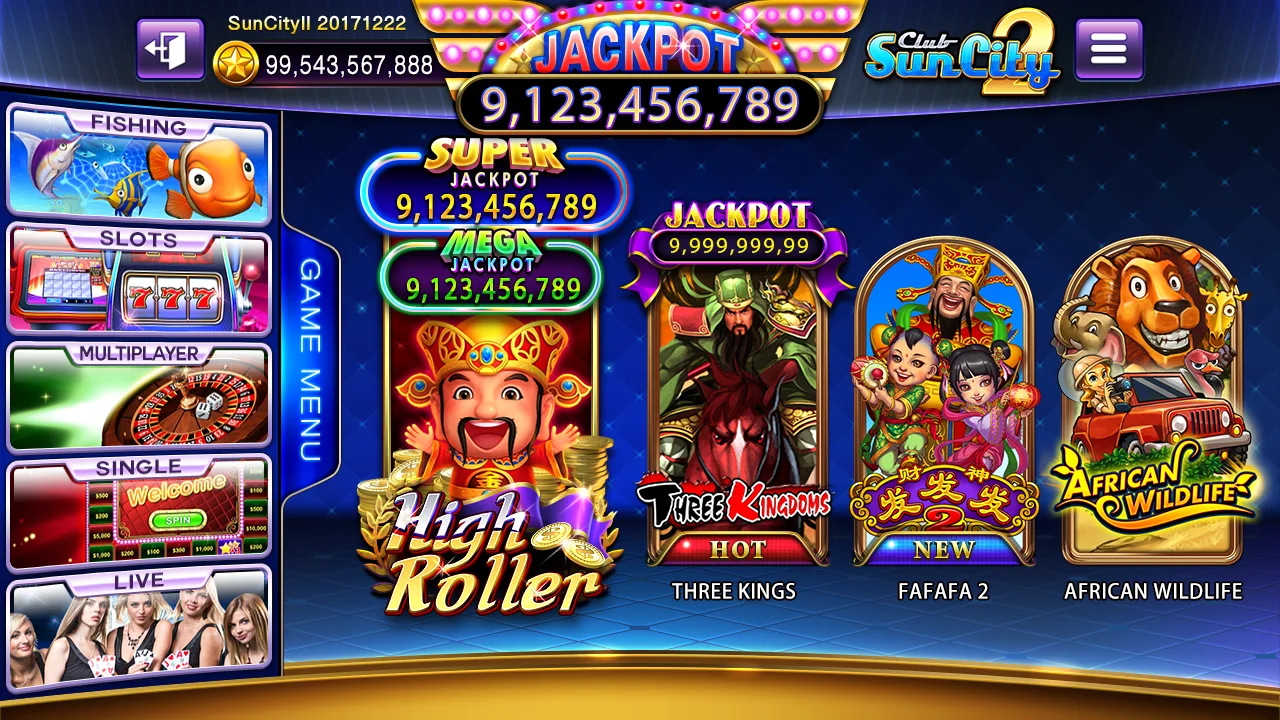
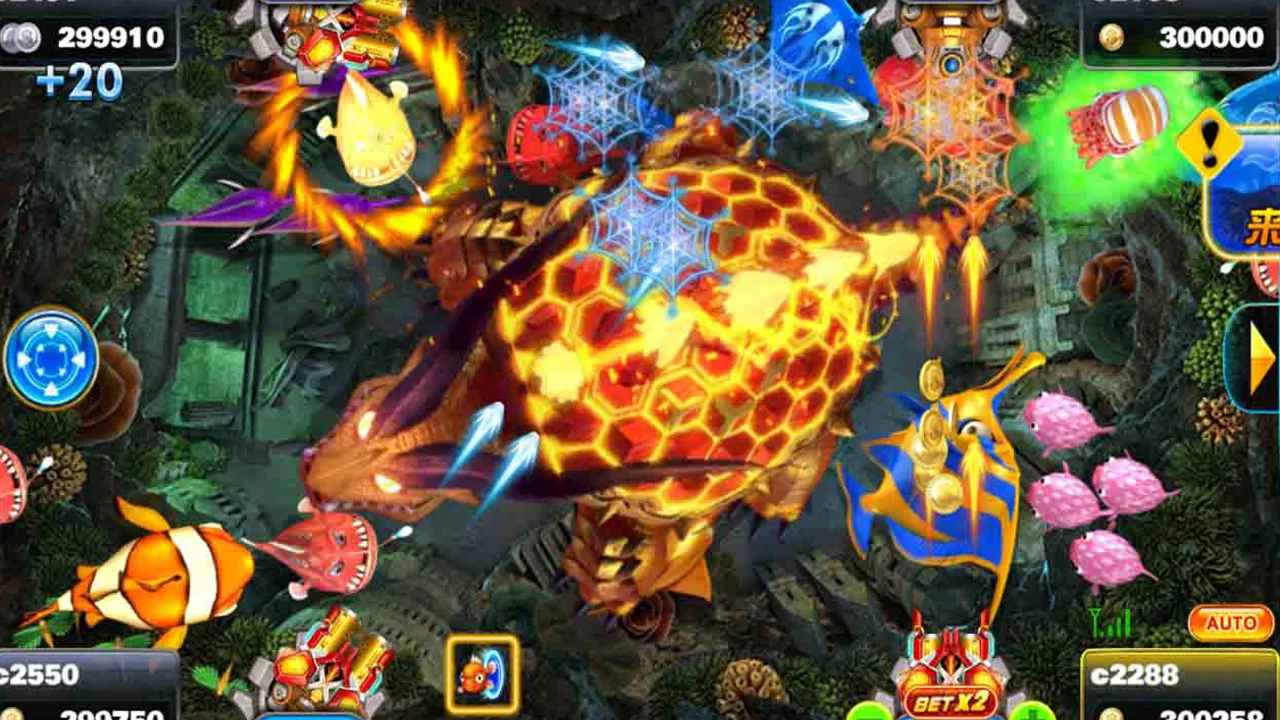
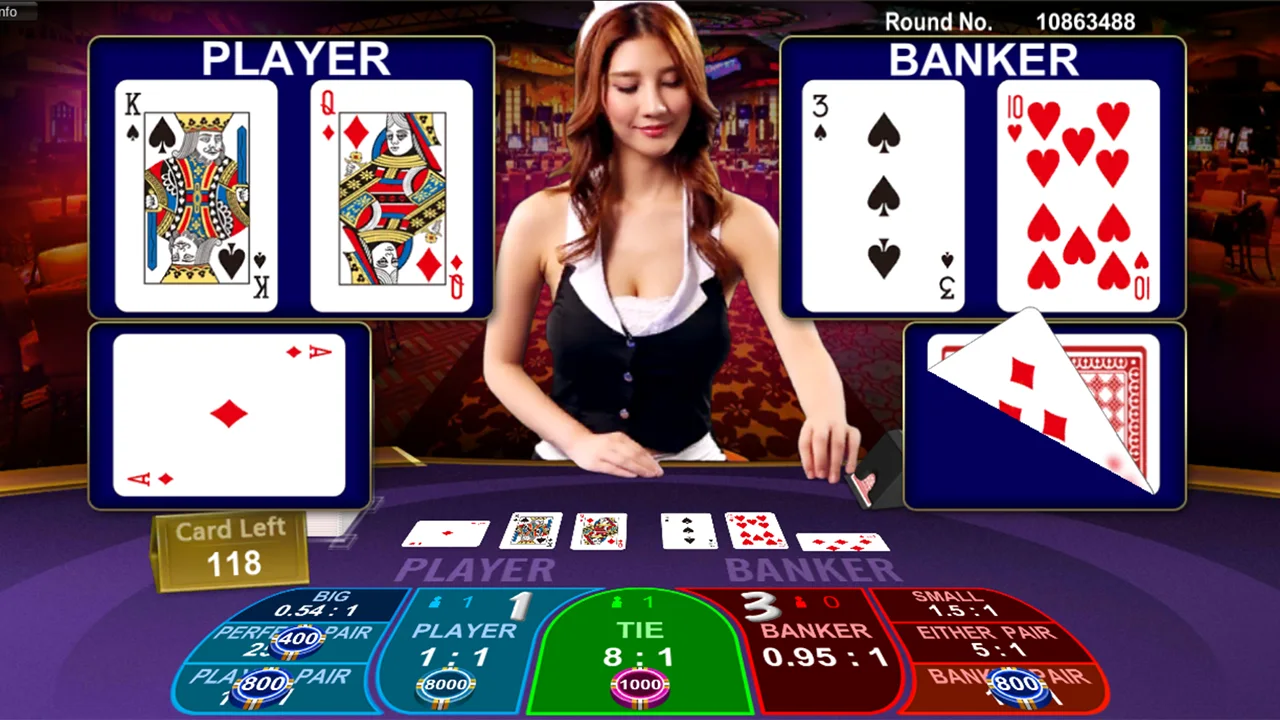
A look at the Suncity 2 lobby and the three game families you will see most often. The left-hand menu filters the tiles shown in the centre of the screen.


Four Steps To Start Club Suncity 2 Safely
Following this order avoids the two most common first-week problems: installing the wrong file and losing access to a new account.
- Check the addressMake sure the browser shows suncity2.org in full. A familiar logo in an ad or message proves nothing on its own.
- Pick your device fileAndroid uses an APK; iPhone uses an iOS install link plus a “trust developer” step. They are not interchangeable.
- Register and save your IDAfter you create a Club Suncity 2 account, store the user ID somewhere safe — support will ask for it.
- Set limits firstDecide your time and spending limit before opening any game, and log out when you reach it.
Suncity 2 On Android Vs iPhone
Installation works differently on each system. This table shows which steps you should expect.
| Step | Android | iPhone / iPad |
|---|---|---|
| File type | APK downloaded directly | Installed through an iOS install link |
| Permission | Allow “install unknown apps” for your browser | Trust the developer in Settings › General › VPN & Device Management |
| Updating | Remove the old version, install the new APK | Reinstall from the latest link, re-trust if asked |
| Typical error | “App not installed” (storage or version conflict) | “Untrusted Enterprise Developer” |
Full Suncity 2 instructions for both devices are in the Club Suncity 2 download guide.
Club Suncity 2 Or Suncity 2 — Is It The Same App?
Yes. Club Suncity 2 is the full brand name printed on the app icon and logo, while Suncity 2 is the short form most players type into search or use in conversation. Both refer to the same application, the same lobby and the same account system. What matters for your safety is not which name you search for, but whether the page you land on is the genuine Club Suncity 2 website and whether the file you install comes from the download page linked here.
Because the name is popular, look-alike pages appear regularly. Some copy the Club Suncity 2 logo and colour scheme, then swap the download button for a modified APK or a form that collects passwords. Before installing or signing in, check three things: the address bar shows suncity2.org in full, the download button points to the official Android or iOS page described in our Suncity 2 download guide, and nobody has asked you for an OTP.
What you can do on this website
- Install Club Suncity 2 on Android or iPhone with device-specific steps and a list of common install errors.
- Recover your Suncity 2 account when a password is rejected, a code does not arrive or the account is temporarily locked.
- Understand the games — how slots, fishing games and live baccarat differ in pace, cost per round and connection needs.
- Play within limits using practical tools such as screen-time caps and pre-set session budgets.
Common Club Suncity 2 Messages And What They Mean
Match the message on your screen to the first action worth trying. One change at a time makes it obvious which step solved the problem.
| What you see | Likely cause | First thing to try |
|---|---|---|
| App closes on launch | Outdated Suncity 2 version | Remove the app, restart the phone, install the current file |
| Network or connection error | Weak signal, VPN or data saver active | Switch between Wi-Fi and mobile data; turn VPN off |
| Incorrect password | Typo, Caps Lock or a hidden space in the ID | Type the ID manually instead of pasting it |
| Account locked | Too many failed attempts | Stop retrying and follow the Club Suncity 2 login recovery steps |
| Game freezes mid-round | Brief connection drop | Do not tap repeatedly; reopen and check the game history |
Tip: whenever something goes wrong, take a screenshot that includes your phone’s clock. A timestamp in Malaysia time (GMT+8) lets support locate your Suncity 2 session record quickly.
Keep Suncity 2 Entertaining
Every game in Club Suncity 2 is based on chance, and no pattern, roadmap or “system” changes that. The healthiest approach is to treat what you spend as the price of entertainment: decide the amount before opening the app, stop when it is used, and never play with money set aside for rent, bills or family needs. If you notice yourself chasing losses or hiding how much you play, read our responsible gaming guidance and take a break.
Club Suncity 2 is for adults aged 18 and over where online gaming is legally permitted. Check the rules that apply where you live before you register.