
Slot Autoplay: Time, Speed and Risk
Understand how autoplay can change session speed and spending awareness, and which safeguards matter before enabling repeated spins.
- 📖 4 min read
- 🗂️ Slots
- 🗓️ Updated November 2026
- 18+ only

Autoplay runs spins back to back, so a session uses your budget much faster than manual play and makes it easy to lose track of time. If you use it, set a small number of spins plus a loss limit and stop-on-win where the game offers them, and stay watching the screen.
For an overview of game categories and how they are described, start with the Games information. You can also return to Club Suncity 2 for the complete brand overview.
Autoplay changes the pace, not the odds
Where a slot game offers autoplay, the feature automates a sequence of spins under selected settings. It does not create a strategy that changes the random outcome of each spin. Availability, stop conditions and interface labels depend on the game and jurisdiction.
The main behavioural difference is that a player makes fewer deliberate pauses between actions. That can reduce awareness of elapsed time or cumulative stakes, especially when a screen displays animations and bonus events.
Calculate cumulative wagers beforehand
If the displayed stake is $0.50 and the game runs 50 spins, the total amount wagered is $25 before accounting for payouts or any feature-specific adjustments. This example describes cumulative wagering, not guaranteed loss. The exact total depends on actual settings.
A small bet multiplied by a large number of automated actions can create significant exposure. Check whether the selected count resets, pauses or continues under special features.

Read stop conditions carefully
Some autoplay interfaces provide limits for losses, wins, feature triggers or spin counts. Other interfaces offer fewer controls. A stop-loss setting is not a guarantee that loss cannot exceed a precise figure, particularly if a spin or feature has already started.
Do not assume the most protective controls are enabled by default. Read every selection and test the interface only within a budget you can afford to lose.
For the related background, see RTP and volatility basics; that guide covers the separate question in more detail.
Notice how speed affects decisions
Rapid repetition can encourage chasing losses or extending a session without a conscious new decision. A separate timer or alarm can help restore awareness. If you notice frustration or a compulsion to continue, stop rather than increasing the run length.
Autoplay should never be described as a safer way to recover previous losses. Past outcomes do not make future spins owe the player a payout.
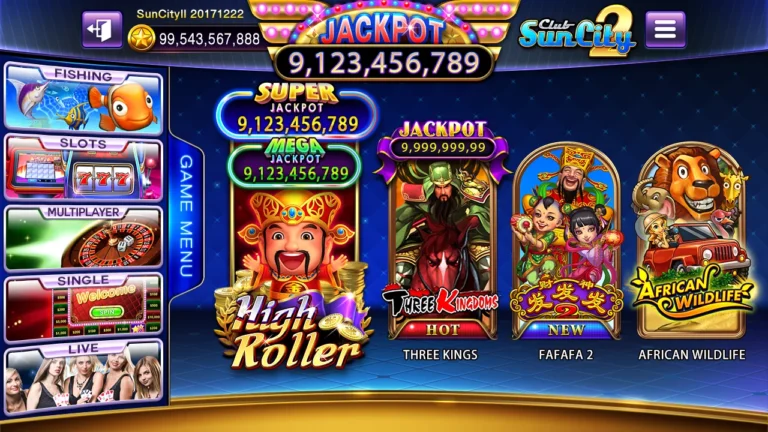
Mobile considerations
On a small screen, feature buttons and monetary amounts may be close together. Confirm the stake before activating automation, and avoid using the feature while distracted or moving between tasks. Battery or connection interruptions may also affect what the interface displays.
If the game behaves unexpectedly after a connection loss, consult the game’s transaction or session history if available; do not infer a missing or extra spin solely from animation.
If your question is instead about slot symbol rules, use that focused article rather than applying unrelated troubleshooting steps here.
Choose manual pacing when uncertain
If you do not fully understand the stake, stop settings or rules, manual play with pauses gives more chances to review your choices. Choosing not to play is always an option.
The Games pillar provides category information, and the RTP guide explains why automated repetition does not change the theoretical return of a game.
How fast autoplay spends
A typical spin takes about three seconds, so autoplay can run close to 20 spins a minute; quick-spin or turbo modes can push that toward 30. At 1.00 per spin, that is 1,200 to 1,800 credits wagered in an hour before any wins are counted. With a 96% RTP, the theoretical cost of an hour like that is roughly 48 to 72 credits, and short-term swings can be far larger. Manual play at your own pace often halves the number of spins.
Safer autoplay settings
- Choose a small number of spins, such as 25 or 50, rather than unlimited.
- Set a loss limit equal to your session budget so autoplay stops automatically.
- Set a single-win limit so a big feature ends the run and you can decide what to do next.
- Leave turbo or quick-spin off.
- Do not leave the phone unattended while autoplay runs.
For budget planning, see session limits and bet size and exposure.
Frequently Asked Questions
Is autoplay more likely to win?
No. Each spin is random whether you press the button or autoplay does.
What autoplay settings should I use?
A low spin count, a loss limit and stop-on-feature or stop-on-win if available.
Why does autoplay feel faster?
There is no pause between spins, so more rounds are played per minute than in manual play.
Does turbo mode change the RTP?
No. It only shortens the animation, so more spins are played per minute and money moves faster.