
Club Suncity 2 Verification Code Not Arriving
Find safe checks when a Club Suncity 2 account verification code is delayed, missing, or unexpectedly requested.
- 📖 4 min read
- 🗂️ Login help
- 🗓️ Updated November 2026
- 18+ only
If your Club Suncity 2 verification code does not arrive, wait at least 60 seconds, check your signal and any SMS spam filter, and confirm the registered phone number is still yours. Requesting several codes quickly can cancel earlier ones, so ask for a new code only once.
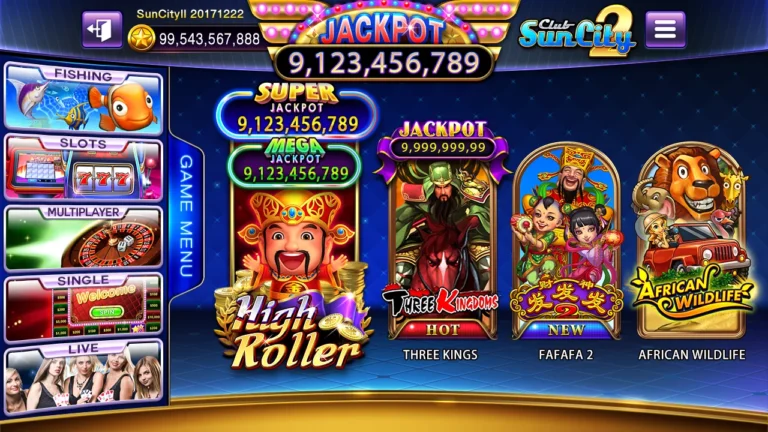
When an expected code is delayed, verify Club Suncity 2 Casino. The sections below focus specifically on the delivery method and security of codes.
First identify which code you expect
A verification code may be requested during sign-in, account recovery or a change to account details. The timing and delivery channel matter. A code you requested from a trusted screen is different from an unexpected code arriving when you have not taken any action. Do not assume every message mentioning the brand came from the operator.
If you did not request a code, do not send it to another person. Someone may be trying to access an account or persuade you to verify a transaction. A real-looking message does not establish the authenticity of the person asking for it.
Check the expected delivery channel
Look at the exact instruction on the sign-in page. If it says email, checking SMS will not help; if it says text message, an email spam folder is irrelevant. Verify that the underlying contact address or phone number is still yours without posting it publicly.
Mobile reception, blocked senders, mail filtering and temporary service delays can all affect delivery. Avoid making many rapid requests, because newer codes may invalidate earlier ones on some systems. The operator’s actual expiry and resend rules should be confirmed rather than guessed.
Email-specific checks
Inspect spam, promotions or filtered folders. Search by the message subject or the time of the request rather than trusting a sender display name alone. If the email address is inaccessible, you need a verified account-recovery route—not access to another person’s inbox.
Be wary of email links directing you to a different sign-in domain. For account changes, navigate from the official website where possible rather than following a suspicious message.
SMS-specific checks
Confirm signal strength and whether the phone can receive ordinary messages. Certain devices classify unknown senders separately, and service plans can restrict some text types. Switching phones or SIM cards can change which device receives the code.
A code arriving late may already be expired. Enter only the most recent code you intentionally requested, and avoid forwarding messages or screenshots to people offering to help.
For a related but distinct question, see forgotten password recovery guidance and login failure troubleshooting.
If the page keeps asking for new codes
Repeated challenges can indicate an expired session, incorrect time settings or an authentication process that has not completed. Restarting the app may help with a temporary display issue, but it should not be used to bypass security controls. Capture the nonsensitive error text.
If the situation began after moving to a new phone, compare the contact method and account identifier before assuming the service is broken.
When to ask for help
Use the operator’s verified support route, explain which stage failed, how long you waited and which general delivery method was selected. Never share the code itself or full credentials.
Verification exists to protect account control. Treat urgency, secrecy and requests to read out codes as warning signs, even if the message uses official-looking graphics.
For the broader navigation and currently published product information, use the account access page.
Phone settings that block codes
- Spam or junk filters: Google Messages, Samsung Messages and some Xiaomi phones move unknown senders to a spam folder. Check it before requesting a new code.
- Blocked senders: if you once blocked a short-code number, later codes from it are silently dropped.
- Do Not Disturb or Focus modes: the code may arrive without a visible alert.
- Full inbox: older phones may stop receiving SMS when message storage is full.
- Dual SIM: make sure the registered number is the SIM that is active for SMS.
Why requesting many codes makes it worse
Each new request usually cancels the previous code, so a code that arrives late may already be invalid. Asking five times in two minutes can also trigger a temporary limit on further codes. Request once, wait at least a minute, check the folders above, and only then try again. If you travel or use roaming, SMS can take several minutes longer. If nothing arrives after two careful attempts, contact support with your user ID and registered number; our login error guide explains what else to include.
Frequently Asked Questions
Why do SMS codes go to spam?
Some Android brands filter messages from short codes automatically. Check the blocked or spam folder.
What if I changed my phone number?
Codes still go to the old number. Contact support to update it before trying again.
Can someone else request codes to my number?
Yes, which is why you should never share a code you did not request.
Should I share the code with support if it finally arrives?
No. Type it into the app yourself. Genuine support never needs the code.
Related Articles
Club Suncity 2 Login Failed? Fix Common ErrorsLogin help →Club Suncity 2 Account Locked? What to CheckLogin help →Club Suncity 2 Forgot Password? Recovery HelpLogin help →Club Suncity 2 RegistrationLogin help → Suspicious Link? How to Report It SafelyAccount safety →
 Cooling-Off Breaks: A Practical Gaming PlanResponsible play →